DO YOU WANT TO WINA 512GB OLED iPad Mini and a Year of Workbench
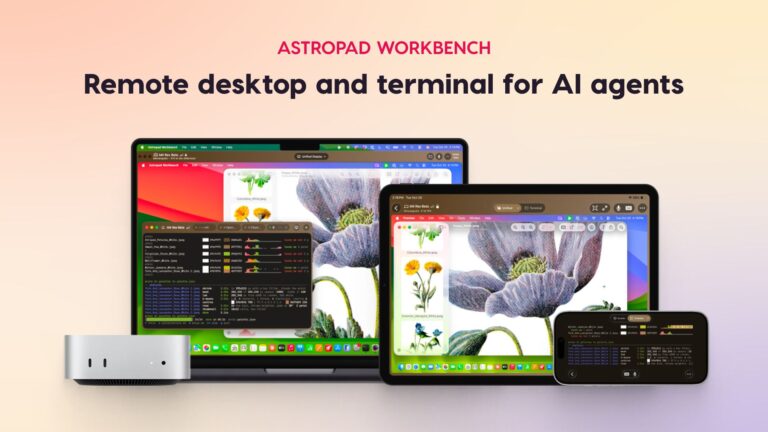
A 512GB OLED iPad Mini and a Year of Workbench. Email in the giveaway widget · optional bonuses.
Giveaway details + how to enterIs the 512GB iPad Mini Worth It? Storage and Setup Guide
- Prize
- One winner receives a Wi-Fi 512GB OLED iPad mini with A20 Pro and one year of Astropad Workbench. The sponsor did not list a combined prize value.
- Ends
- November 27, 2026 at 12:00 PM ET
A small tablet can carry a lot of photos, games and downloads. The best storage size depends on how much you need away from Wi-Fi and what you can keep on another device.
Measure what you keep on your current device
Look in Settings for the biggest apps, downloaded videos and photo library. Make a shortlist of what you need to access offline. If a game or media library is already near the device limit, allow room for future installs.
Use Apple’s model specifications to compare the storage and hardware together for the configurations you can buy.
Plan around the way you travel
For a long flight, preload the books and shows you expect to use and confirm they play in airplane mode. Cloud files are only useful offline when you make them available on the device ahead of time.
If you mostly read and stream at home, compare the extra cost of more storage with the small number of files you truly need to keep.
Use remote desktop when the work already lives on a Mac
Remote desktop can help when you need a desktop program or want to check a Mac task from a tablet. It still depends on a reachable Mac and a reliable connection.
Test a short remote session from the Wi-Fi you usually use before you build your routine around it. Keep time-sensitive documents you need on the road available locally.
Add the accessories to your price comparison
A simple case may be enough for reading. A stand and compact keyboard can help if you answer a lot of email. Check the Apple Pencil compatibility for the exact model before ordering.
Look at the final price with the accessories you will actually use. Compare the cost of the tablet as a whole against your most frequent task.
MacRumors × Astropad OLED iPad Mini Giveaway
A 512GB OLED iPad Mini and a Year of Workbench1 winner
How to enter ✨
- Open the sponsor’s MacRumors giveaway article and scroll to the Astropad Giveaway widget.
- Enter with your email through the widget.
- Use the widget for any optional bonus actions you want to complete.
Freebie Mom tickets are separate. They do not enter this giveaway or improve your odds. Complete the sponsor’s entry yourself.
More prize & entry details
One winner receives a Wi-Fi 512GB OLED iPad mini with A20 Pro and one year of Astropad Workbench. The sponsor did not list a combined prize value.
U.S. and U.K. residents age 18+ and Canadians who have reached the age of majority in their province or territory.
Enter your email in the widget inside the MacRumors giveaway article. The sponsor lists optional newsletter and social actions for additional entries.
Entry and prize details
- The sponsor plans to email one randomly selected winner on or after November 27.
- The winner gets 48 hours to respond with a shipping address.
Official sponsor information checked November 22, 2026.
Full entry limit: Enter your email in the widget inside the MacRumors giveaway article. The sponsor lists optional newsletter and social actions for additional entries.
Eligibility: U.S. and U.K. residents age 18+ and Canadians who have reached the age of majority in their province or territory.
GOOD LUCK, FREEBIE MOM FAM! 🍀
ENTER HERE — MacRumors × Astropad OLED iPad Mini GiveawayCLAIM +10 FREEBIE MOM TICKETS AND CONTINUE TO THE SPONSORYour separate Freebie Mom tickets
Claim post tickets once per article per day. Resets at midnight Eastern.
Official entry page · Checked Nov. 22, 2026.
Keep going