Budget-Friendly Family Gaming: How to Save Without Missing the Fun
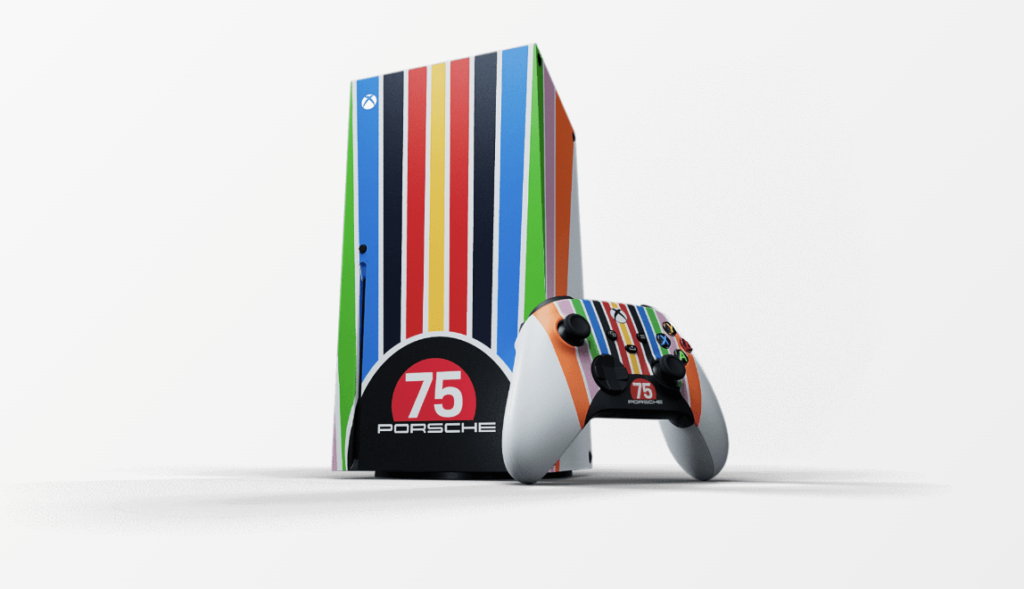
Quick answer: The cheapest family gaming plan is not automatically the console with the lowest price. Compare the full first-year cost: the system, controllers, games, online access, storage, accessories, and possible in-game purchases.
Family gaming can be affordable when you choose a setup around the people who will actually use it. This guide explains how to avoid duplicate purchases, test games before buying, control add-on spending, and build a small library that gets played instead of a large library that gets ignored.
Choose the games before the hardware
Start by listing five games your household genuinely wants to play. Note which platforms support them, whether local multiplayer is included, how many controllers are needed, and whether online play requires a membership.
This prevents an expensive mistake: buying a system because it is on sale and then learning that the games, accessories, or multiplayer setup your family wants cost much more.
Calculate the real first-year gaming cost
- Console, computer, tablet, or handheld system
- One controller for each person who will play at the same time
- Games or a game-library subscription
- Online multiplayer membership, when required
- Storage expansion, protective cases, charging, or headset needs
- In-game currency, season passes, and downloadable content
- Replacement costs for frequently handled accessories
Write those amounts in separate rows. A bundle is a good deal only when you wanted most of what it includes.
Subscriptions versus buying individual games
A subscription can be valuable when several family members explore different games and play regularly. Buying individual games may cost less when your household returns to the same two or three titles for months.
Before subscribing, check which games are included today, whether they can leave the catalog, which devices are supported, and whether saved progress remains usable after cancellation. Set a calendar reminder before a trial or promotional period renews.
Ways to spend less on games
Use wish lists instead of impulse purchases
Add a game to the platform’s wish list and wait for a price alert. This also gives you time to read reviews, check the rating, and confirm whether the multiplayer mode works the way your family expects.
Consider physical games when the system supports them
Physical games may be available used, borrowed, traded, or resold. Inspect used discs or cartridges and confirm that important content is not locked behind a one-time code.
Check your public library
Some libraries lend video games, controllers, consoles, or tabletop games. Availability and loan rules vary, so search the local catalog or ask a librarian before buying a game your family only wants to try.
Share within the platform’s rules
Many platforms have household, primary-console, or family-account features, but the rules differ. Read the current official instructions before assuming one digital purchase will work for every account or device.
Rotate instead of collecting
Keep a short active list: one longer game, one quick multiplayer game, and one calm or creative game. Finish, trade, or pause something before adding another.
Free-to-play does not always mean free
Free-to-play games may sell cosmetic items, characters, upgrades, subscriptions, or randomized items. Decide the household rule before anyone starts playing. Options include no purchases, a fixed monthly allowance, or purchases that require an adult password every time.
Disable saved payment methods on child accounts when possible and turn on purchase approval. Review the game’s listed interactive elements so you know whether it includes in-game purchases or user communication.
Set parental controls before handing over the controller
Create a separate child account for each younger player rather than sharing an adult account. The ESRB parental-controls guide explains how families can use device settings to manage age ratings, spending, play time, and online communication.
Platform tools can also provide useful details. For example, Nintendo’s current parental-controls app supports play-time guidelines, software restrictions, spending controls, and communication settings. Use the official instructions for the exact device in your home because features change by system and account type.
A simple family gaming agreement
- Which days and times are available for gaming
- What must be finished before play begins
- Who may approve downloads and purchases
- Whether voice chat is allowed and with whom
- What to do when another player behaves badly
- How controllers and devices are put away and charged
- How everyone takes turns choosing a game
Keep the rules short enough that everyone can remember them. Revisit them when a child gets older, a new game adds social features, or the family changes devices.
Build a good low-cost multiplayer setup
Look for games with local multiplayer when several people share one screen. Confirm the number of supported local players and whether each person needs a full controller. A less expensive game that everyone can play together may deliver more value than a premium single-player title used by one person.
For online play, include headset needs and membership costs in the plan. Younger players may be more comfortable starting with local co-op beside an adult before using open voice chat or public matchmaking.
Frequently asked questions
Is a gaming subscription cheaper than buying games?
It depends on how often the household tries new games. Compare one year of subscription payments with the realistic number of games you would otherwise buy, not the total size of the advertised catalog.
Should I buy a used console?
A used system can reduce the upfront cost, but check warranty coverage, included cables and controllers, storage, account locks, physical condition, and the seller’s return policy.
How can I stop accidental game purchases?
Use child accounts, purchase approval, a password or PIN, and no saved payment method where supported. Also explain the difference between earned game currency and currency bought with real money.
Families can also play Freebie Mom’s no-purchase browser games in the Freebie Mom Games Hub.
Keep going