How To Trigger the St. Dalfour Sample Ad on Facebook
Simple engagement steps that help Facebook show you the sponsored offer
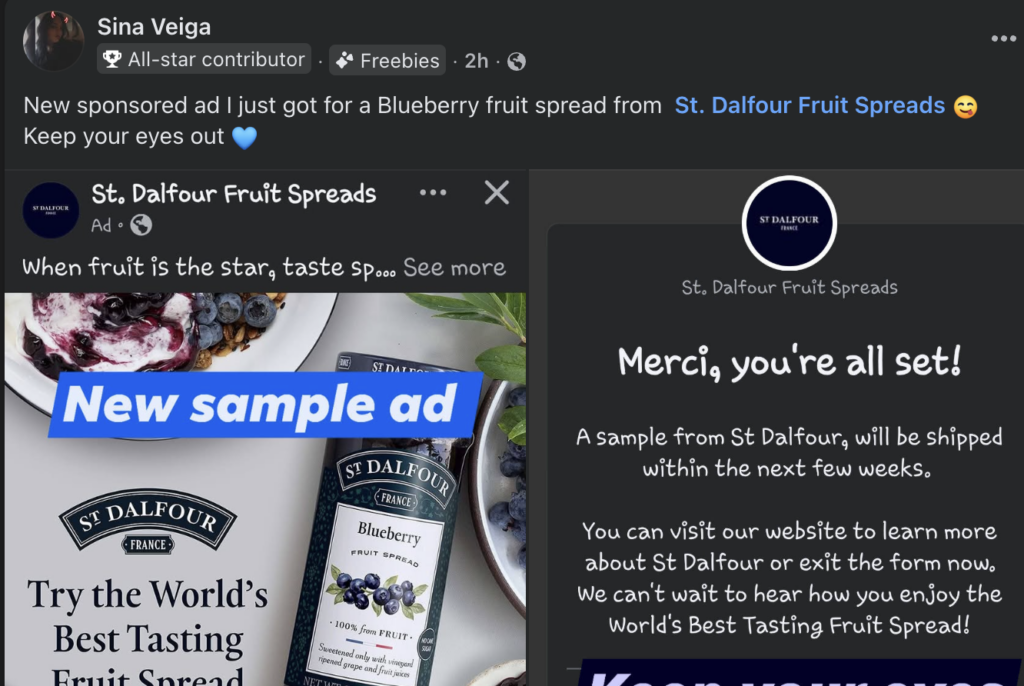
There’s a sponsored Facebook ad circulating for a St. Dalfour fruit spread sample. Facebook ads are behavior-based — meaning the platform shows ads depending on what you interact with. If you want a higher chance of seeing the ad, you need to send Facebook signals that you’re interested in the brand.
Step 1: Follow the Official Page
Follow the St. Dalfour USA Facebook page. Following a brand tells Facebook you want related content in your feed.Step 2: Interact With Their Posts
Like several posts. Leave a comment. Watch videos fully. The more interaction, the stronger the signal.Step 3: Visit Their Website
Google the product or search St. Dalfour fruit spreads. Website visits increase ad targeting signals.Step 4: Scroll Normally
After interacting, return to Facebook and scroll like usual. The sponsored post usually appears shortly after.
Tip: Ads are automated and not guaranteed. These steps simply increase the likelihood.
This guide is informational and not affiliated with St. Dalfour or Facebook.