FREE St. Dalfour Sample
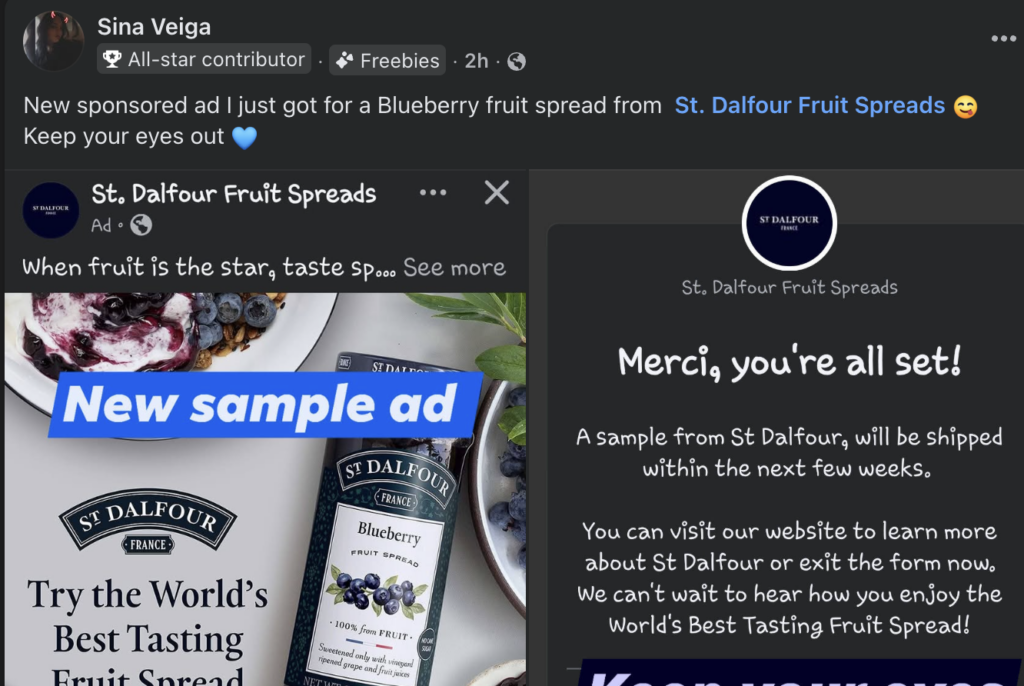
How To Trigger the St. Dalfour Sample Ad on Facebook
Simple engagement steps that help Facebook show you the sponsored offer
There’s a sponsored Facebook ad circulating for a St. Dalfour fruit spread sample.
Facebook ads are behavior-based — meaning the platform shows ads depending on what you interact with.
If you want a higher chance of seeing the ad, you need to send Facebook signals that you’re interested in the brand.
Step 1: Follow the Official Page
Follow the St. Dalfour USA Facebook page. Following a brand tells Facebook you want related content in your feed.
Step 2: Interact With Their Posts
Like several posts. Leave a comment. Watch videos fully. The more interaction, the stronger the signal.
Step 3: Visit Their Website
Google the product or search St. Dalfour fruit spreads. Website visits increase ad targeting signals.
Step 4: Scroll Normally
After interacting, return to Facebook and scroll like usual. The sponsored post usually appears shortly after.
This guide is informational and not affiliated with St. Dalfour or Facebook.
Helpful Freebie Mom Guides
Keep going