DO YOU WANT TO WINGAMING GEAR FROM ATTACK SHARK?
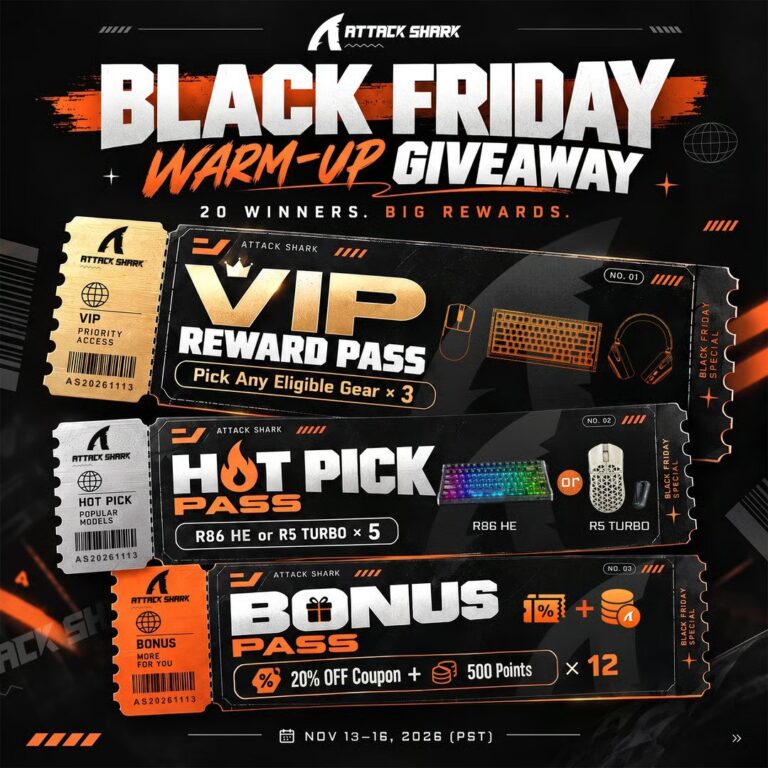
8 gaming-gear winners plus12 coupon/points awards. November 16, 2026 at 11:59 p.m. Pacific
Giveaway details + how to enter
Gaming Keyboard and Mouse Setup: Choose Gear That Fits Your Desk
- Prize
- Twenty awards: three winners choose eligible gear, five receive an R86 HE or R5 TURB0, and twelve receive a 20%-off coupon plus 500 points. Eight awards include physical gear; the other twelve are coupon/points awards.
- Ends
- November 17, 2026 at 2:59 AM ET
Twelve awards are discount coupons and points, not free physical products.
A gaming keyboard and mouse setup should fit the space you actually use. Measure the area for the keyboard, mouse movement and any wrist support before choosing a compact or full-size layout.
Choose the desk footprint
Think about which keys you need every day. A smaller keyboard can leave more mouse room, but missing dedicated keys may change your workflow.
Compare the connections
Check the supported wired and wireless connections, charging requirements and compatibility with your computer. Keep a practical place for receivers and charging cables.
A product name or photograph does not establish every feature. Compare the exact model’s specifications and software requirements before buying accessories.
Make comfort part of the setup
Place the keyboard and mouse so you can use them without an awkward reach. Adjust the desk arrangement and try different sensitivity settings before assuming a new product is the solution.
Look at shape, weight and button placement as well as lighting. The best choice for your desk may differ from somebody else’s favorite setup.
Buy upgrades in a sensible order
Start with the item that causes a recurring inconvenience. Keep working accessories until you know a replacement provides a useful improvement.
Set a total budget that includes delivery and any required extras. A discount code requires a purchase and should be kept separate from a physical prize.
ATTACK SHARK Black Friday Warm-up
GAMING GEAR FROM ATTACK SHARK
20 prize winners
How to enter ✨
- Use the final button for the actual sponsor entry page.
- Complete your own required entry information and actions. Complete free Gleam actions; available bonus tasks are listed in the widget.
- Finish before the stated deadline and follow the sponsor’s winner-notification instructions.
Please check: Twelve awards are discount coupons and points, not free physical products.
Freebie Mom tickets are separate. They do not enter this giveaway or improve your odds. Complete the sponsor’s entry yourself.
More prize & drawing details
Official campaign checked November 14, 2026. Follow the sponsor’s notification and verification instructions.
Full entry limit: Complete free Gleam actions; available bonus tasks are listed in the widget.
Eligibility: Worldwide campaign; check the widget’s eligibility and shipping conditions.
GOOD LUCK, FREEBIE MOM FAM! 🍀
Your separate Freebie Mom tickets
Claim post tickets once per article per day. Resets at midnight Eastern.
Official entry page · Checked Nov. 14, 2026.
Keep going